- From the Home screen click Sessions under desired season name
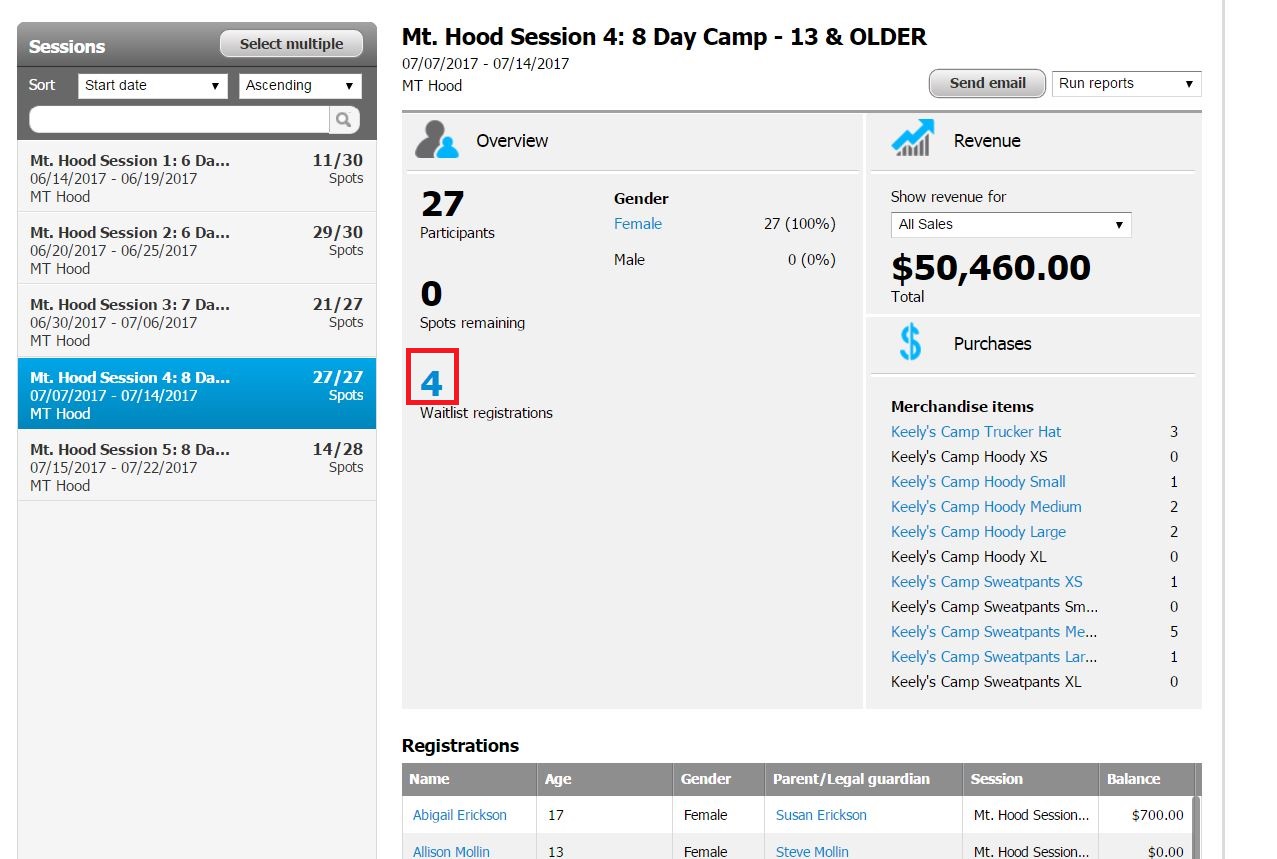
- Select desired Session from session list
- Click on the number above Waitlist Registrations
- Click on desired participant name
- Note: Do not check box next to the name
- Next to session name, click Actions
- Select Remove from waitlist
- Click Submit