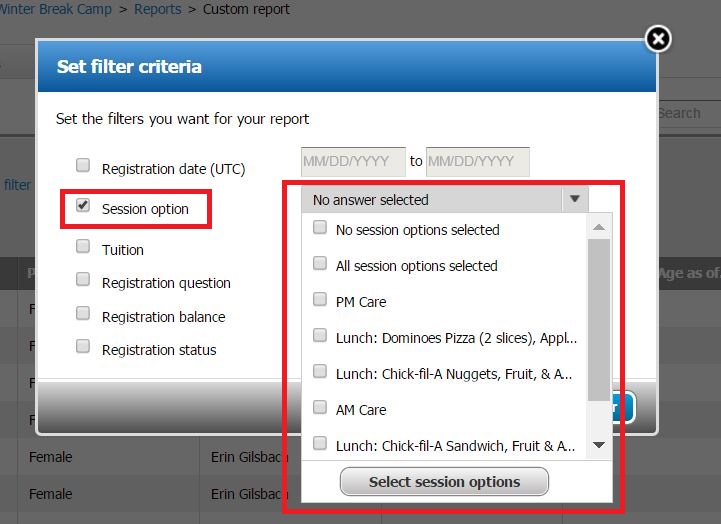
- Click Edit filter criteria
- Check Session option box
- Select No answer selected drop down box
- Check boxes you want to include
- Note: Unchecked boxes won't be included in report.
- Click Select session options
- Click Set filter
View Session Options in Custom Report
Document Details
| Article Number | 000043235 | |
| Article Type | Article} | |
| Article Link | https://support.activenetwork.com/camps/articles/en_US/Article/Include-Session-Options-in-Custom-Report |
Content Details
Below is information about how to report on session options in the custom report. Selections is the column name for all Session Options and Merchandise in Custom Reports. They are not individually listed.
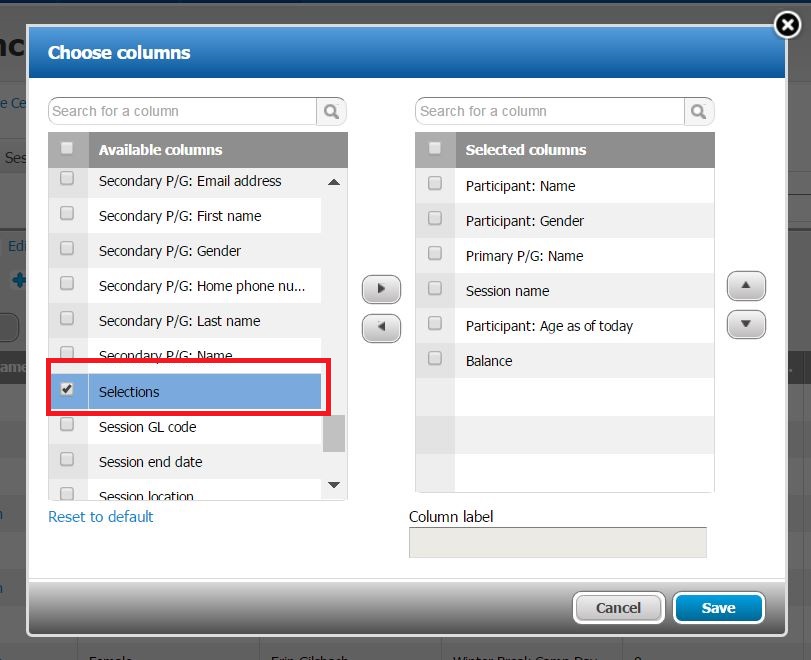 To filter Session options, use the Edit filter criteria feature.