- From Home page, click Reports under season name
- Under Reports tab, click New custom report
- Click Customize
- Click Edit columns
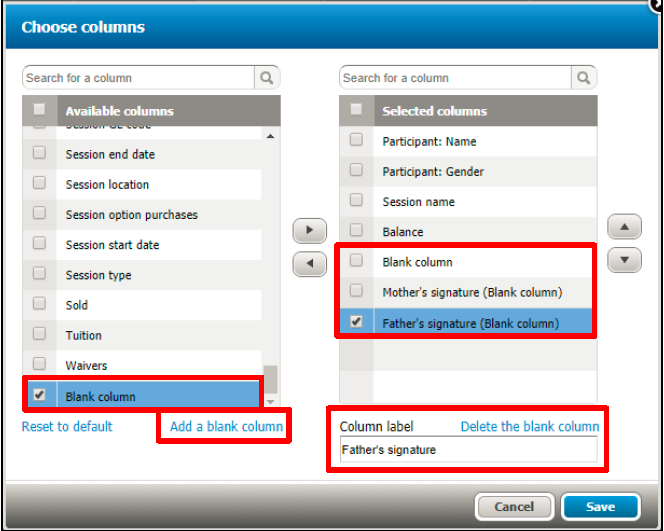
- Click Add a blank column
- Tick the Blank column just added in Available columns on the left
- Click the right arrow to move it to Selected columns on the right
- (Optional) To change column name, tick Blank column and input the name into Column label field
- (Optional) Repeat the steps above if multiple blank columns are needed
- Click Save