Hy-tek desktop software uses currency setting from Windows
- When incorrect currency is displaying go to Control Panel
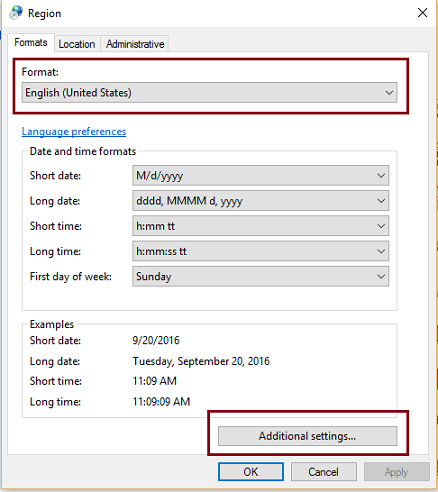
- Select Region (or Region and Language)
- Click Additional settings
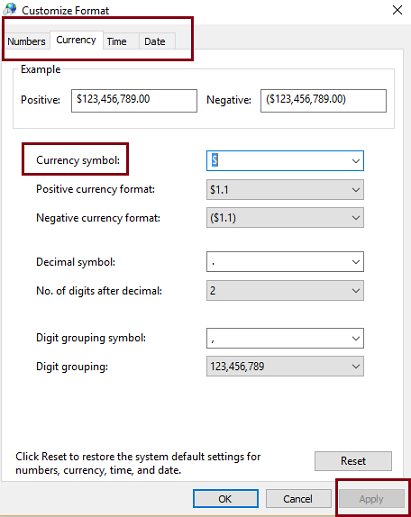
- Select Currency tab
- Choose the desired Currency Symbol, or manually enter one if it is not listed.
- If correct option doesn't display under Currency Symbol, close screen and on Region (or Region and Language) screen select the Format you want, then repeat steps 3 through 5