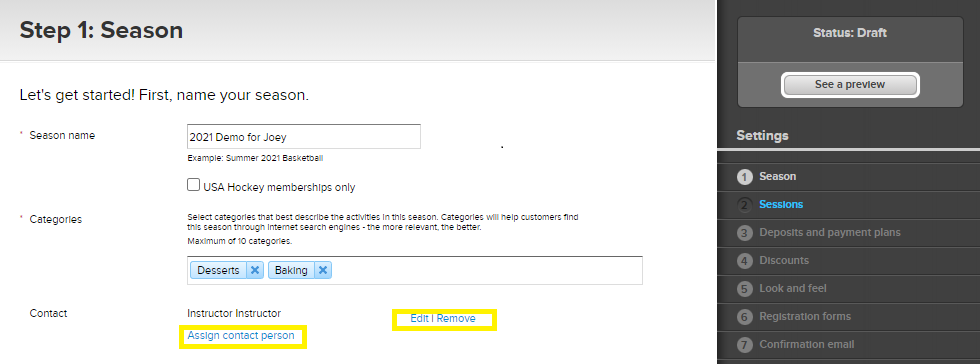
- Click Setup under the season name on the homepage
- Click Season on the right column
- Go to Contact and click Edit/Remove to modify the existing contact person’s information, or click Assign Contact Person to add one
- Click Save and continue
Edit Contact Information for a Season
Document Details
| Article Number | 000151591 | |
| Article Type | Article} | |
| Article Link | https://support.activenetwork.com/camps/articles/en_US/Article/Edit-Contact-Information-for-a-Season |
Content Details
You can update the contact information displayed for each season. Follow the steps below to edit or assign a contact person.