

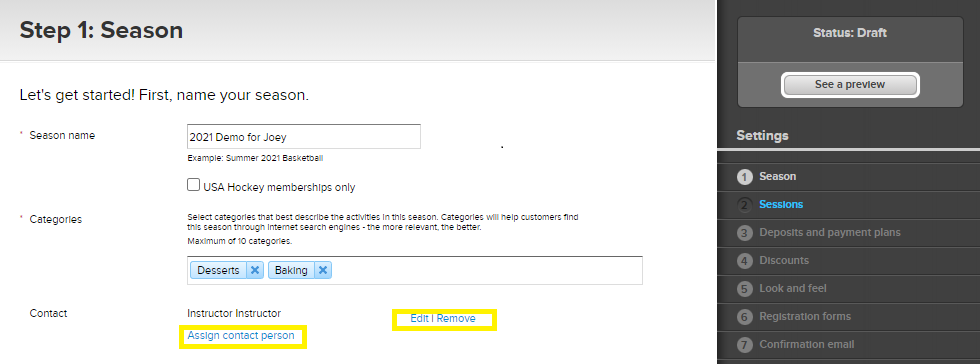
You can update the contact information displayed for each season. Follow the steps below to edit or assign a contact person.
- Click Setup under the season name on the homepage
- Click Season on the right column
- Go to Contact and click Edit/Remove to modify the existing contact person’s information, or click Assign Contact Person to add one
- Click Save and continue


