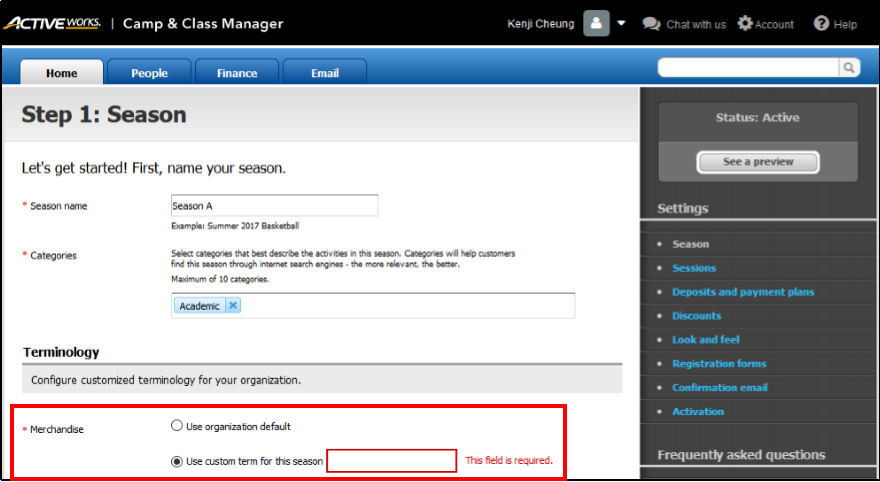
- At homepage, click Setup under desired Season
- Select Season from the right Settings list
- Under Terminology, select Use Custom term for this season
- Enter a new term
- Select Save and continue
Rename Merchandise Label
Document Details
| Article Number | 000043830 | |
| Article Type | Article} | |
| Article Link | https://support.activenetwork.com/camps/articles/en_US/Article/Renaming-Merchandise-Label |
Content Details
The default term "Merchandise" can be substituted with an alternate term to be displayed on your registration forms and customer online accounts. This allows you to specify exactly what items are being sold, such as uniforms, equipment, or meals.