If you are using a new phone, you can reactivate your Meet Mobile subscription by referring to the following steps:
If both devices are iOS: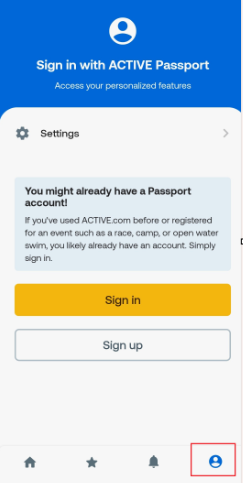
Note: If your two devices are using different platforms (Android and iOS), you are not able to restore your previous subscription.
If both devices are iOS:
- Ensure your new phone is using the same Apple ID as your previous phone
- Download latest version of Meet Mobile
- Launch Meet Mobile
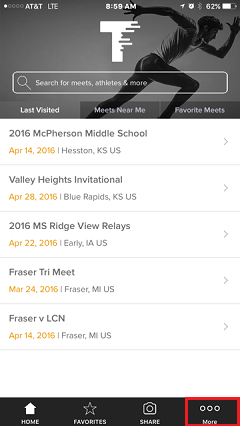
- On home screen click circular person button in the bottom right corner or 。。。button
- Click Settings
Note: Track meet mobile app users do not need to follow step 5
- Select Restore
Note: You will be prompted to enter your iTunes password to confirm your payment and subscription. If nothing happens when tapping Restore, please Enable In-App Purchase for iOS Device of your phone and then try again
If both devices are Android:
- Ensure your new phone is using the same Google Play account as your previous phone
- Download latest version of Meet Mobile App
Note: If your two devices are using different platforms (Android and iOS), you are not able to restore your previous subscription.