Below are the steps to access the Report Wizard in TDM (Tournament Data Manager) to build custom tournament reports with various fields.

- Log into Tennislink
- Navigate to Tournaments tab
- Under Administration heading, click My Tournaments
- Click TDM besides your tournament
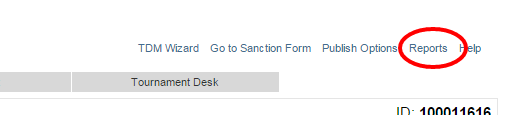
- In top right hand corner, click Reports
- From drop-down menu, select Report Wizard