

To enable the waitlist automation function, please contact support. After activation, agency users can configure the automation and customize invitation emails in Season setup using the steps below.
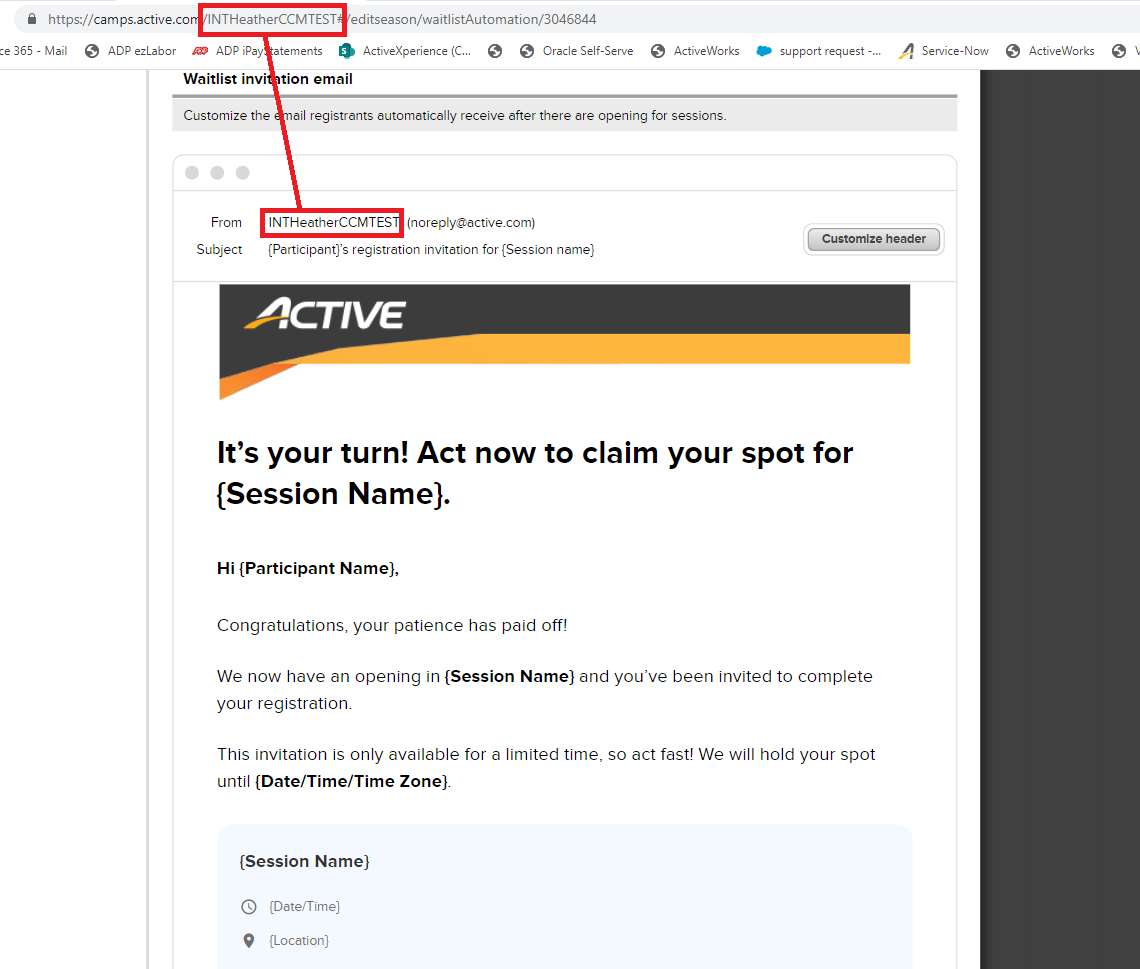
- Click Setup under the season
- Click Waitlist Automation under Settings menu
- Complete Customize invitation rules to configure the following parameters:
- Invitation validity
- Waitlist automation end time
- Session applicability
- (Optional) Customize the invitation header, click Customize header
- Customize email content by editing fonts, font sizes, styling and inserting merge fields
- (Optional) Click Reset content to reset email to default content
- Click Save and continue
Note: To ensure the automation settings take effect, check your desired sessions' setup page to confirm the Waitlist feature Allow waitlist registrations when capacities are reached is enabled
Note: For information about managing waitlist registration ranking, see Waitlist Ranking Logic
Note: The waitlist invitation email’s sender name is synchronized from your agency’s URL key by default and cannot be customized


