
Customers can pay outstanding balances on their orders securely through their online account portal.
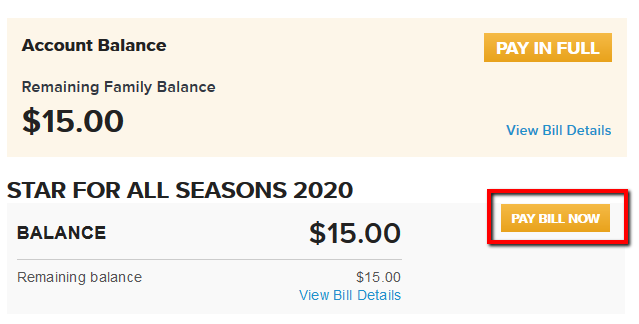
3. Find the target order with balance due and click PAY BILL NOW
4. Enter your Credit Card information
5. Click Submit
- Log in to your online account
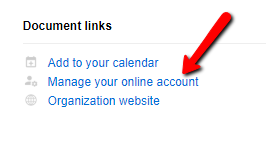
- Note: Online account link can be located towards the bottom of your confirmation email under Document Links.
- Note: Please use your online account email to log in.
- Note: You can also contact the organization for the online account link.
- Note: To pay a custom amount click Pay Bill Now under Pay in Full.
3. Find the target order with balance due and click PAY BILL NOW
4. Enter your Credit Card information
5. Click Submit