
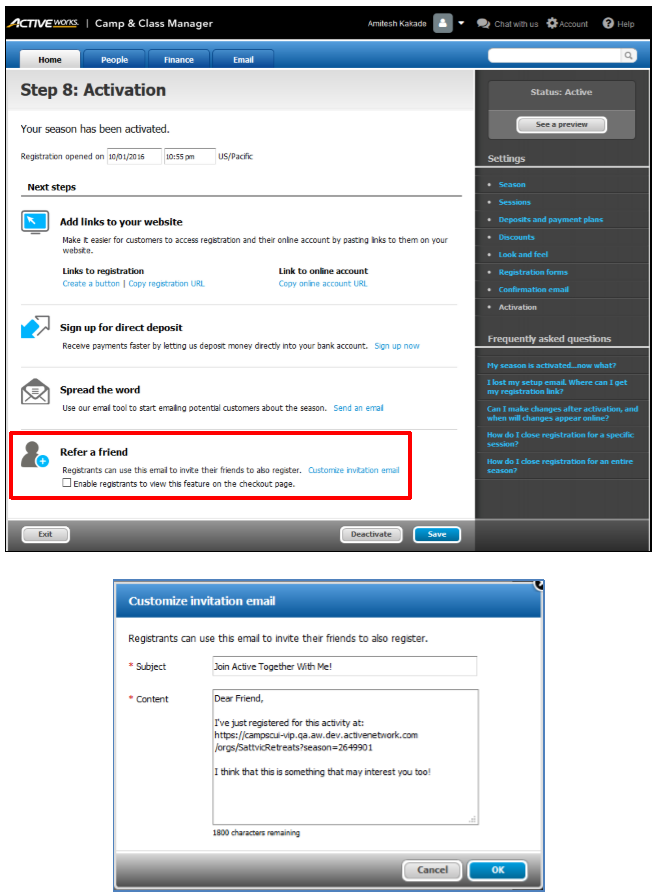
Customizing the referral invitation email allows organization users to personalize the message and subject line sent to potential new registrants.
- On homepage, click Setup under desired Season
- On the Activation step, under Refer a friend, click Customize invitation email
- Enter Subject and Content
- Click OK