
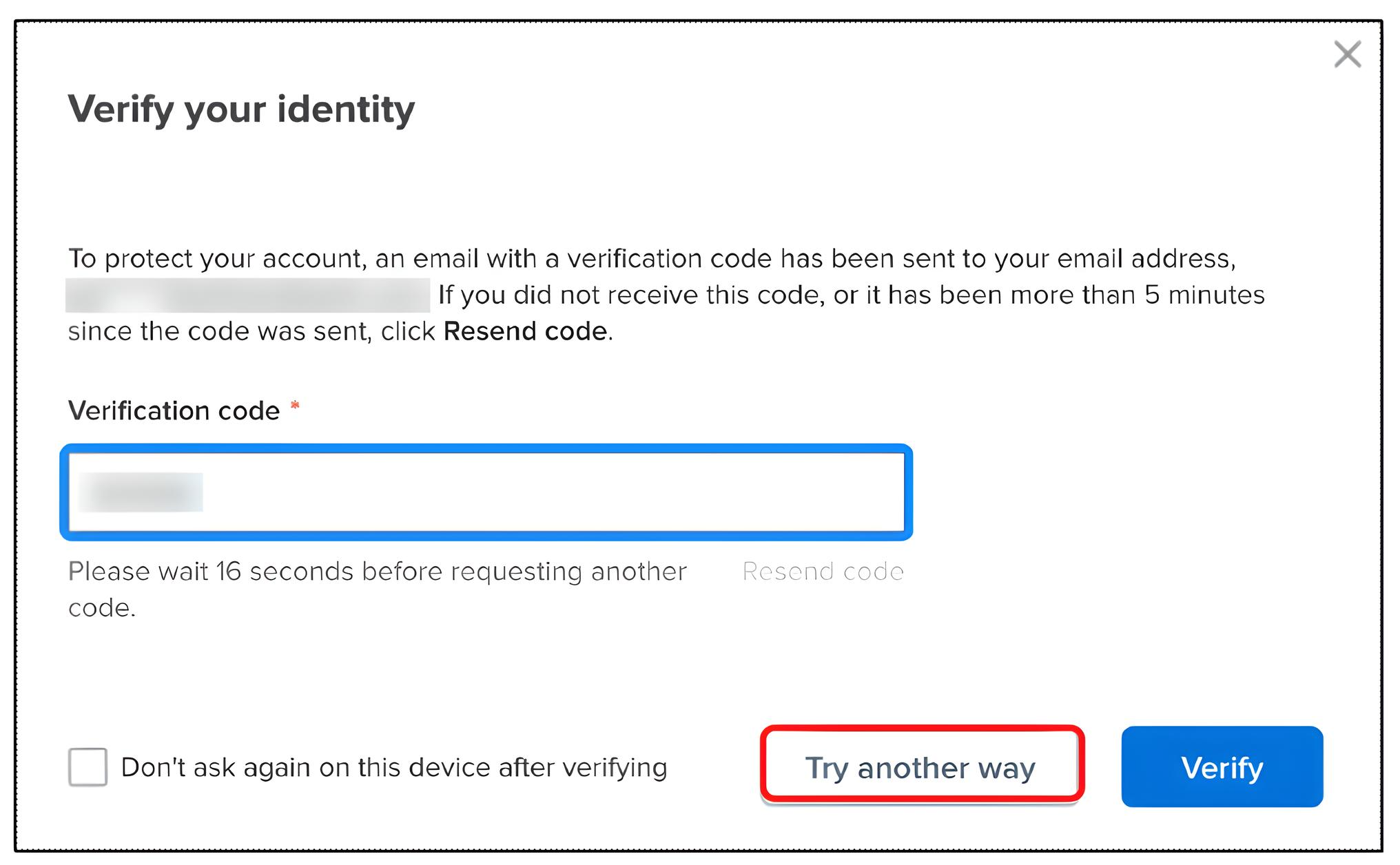
To access your online account or attendance portal, you must enter a one-time verification code sent to your email address or mobile phone.
Note: For background on why this is necessary, see Understand Why Verifying Identity is Essential for Online Account Security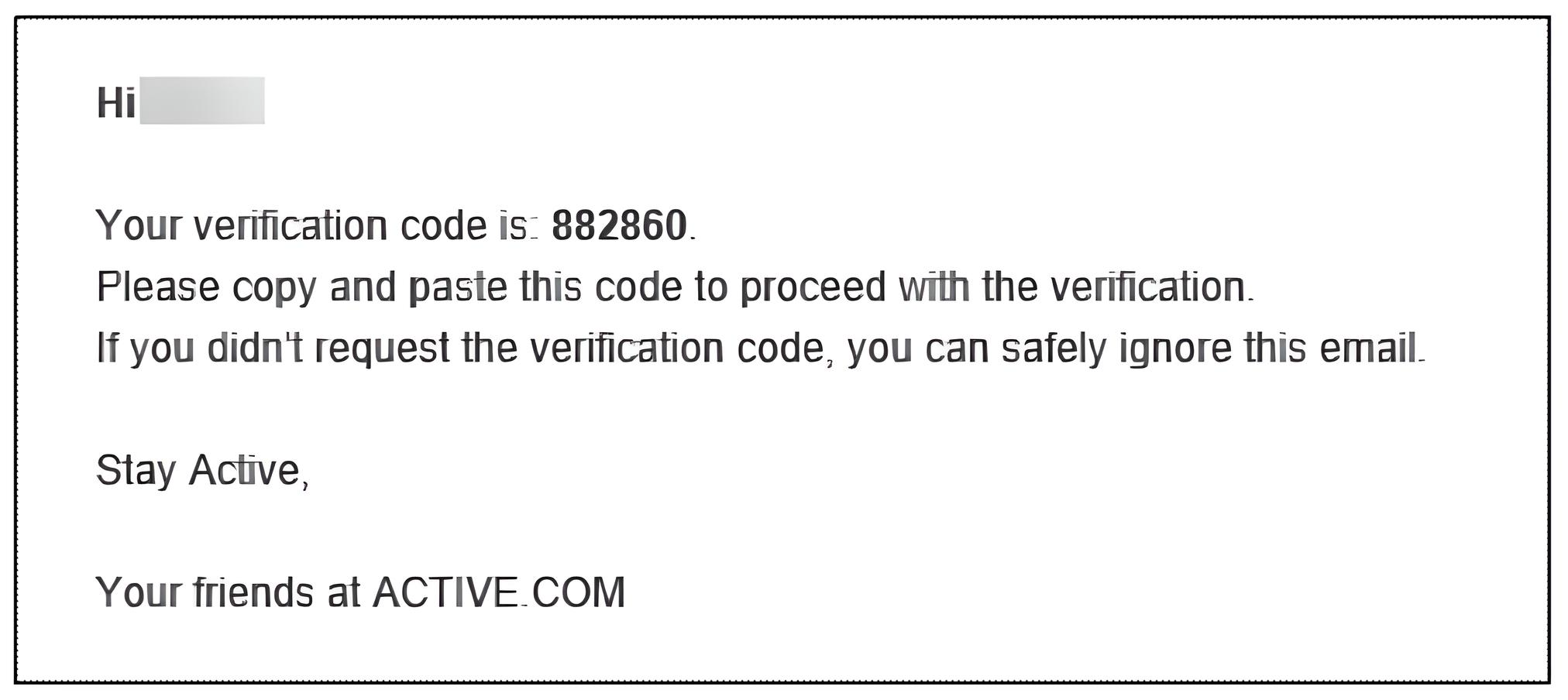
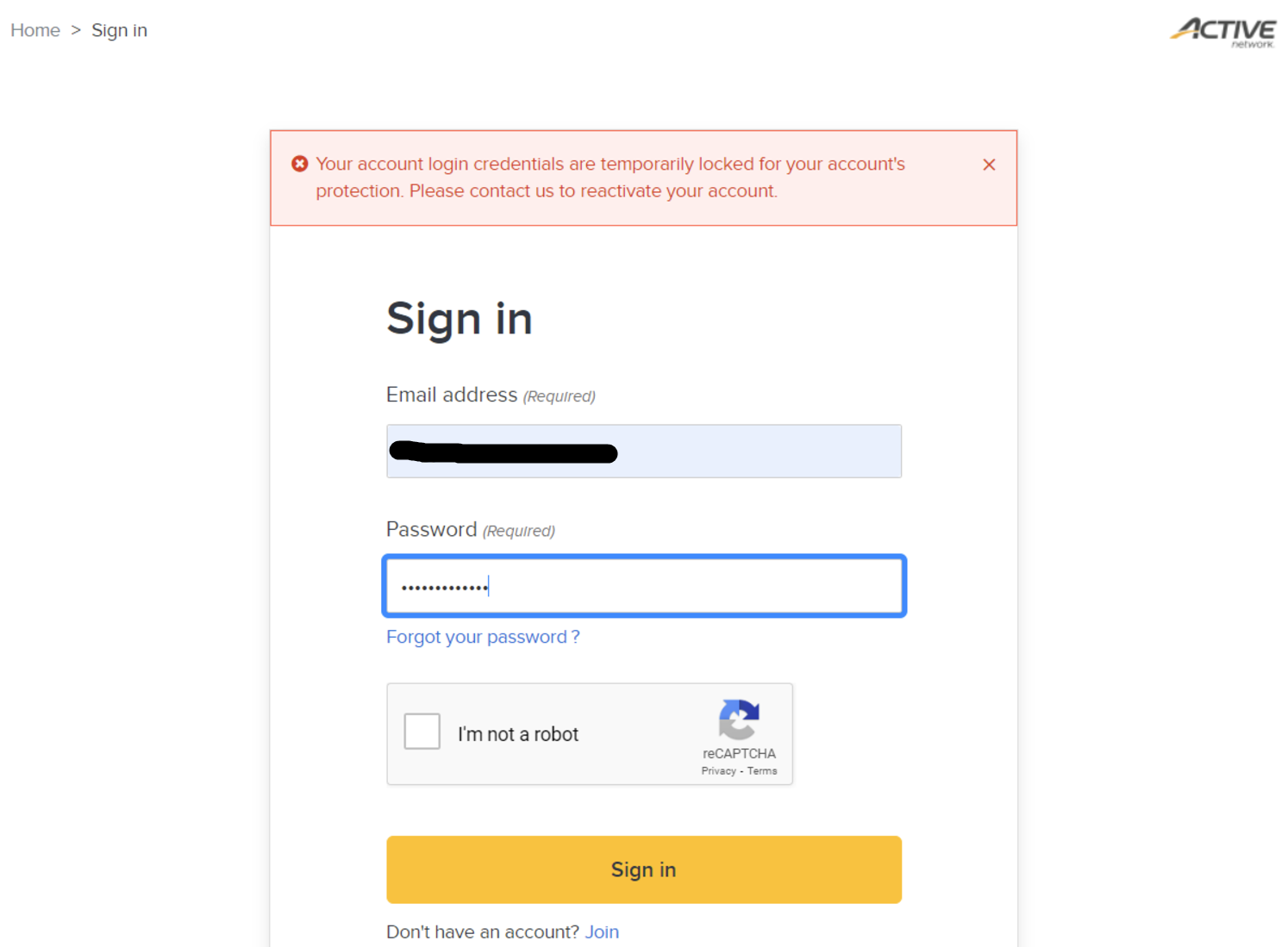
 Note: Contact Support if your account becomes locked.
Note: For background on why this is necessary, see Understand Why Verifying Identity is Essential for Online Account Security
- Log into your online account or attendance portal with your email and password
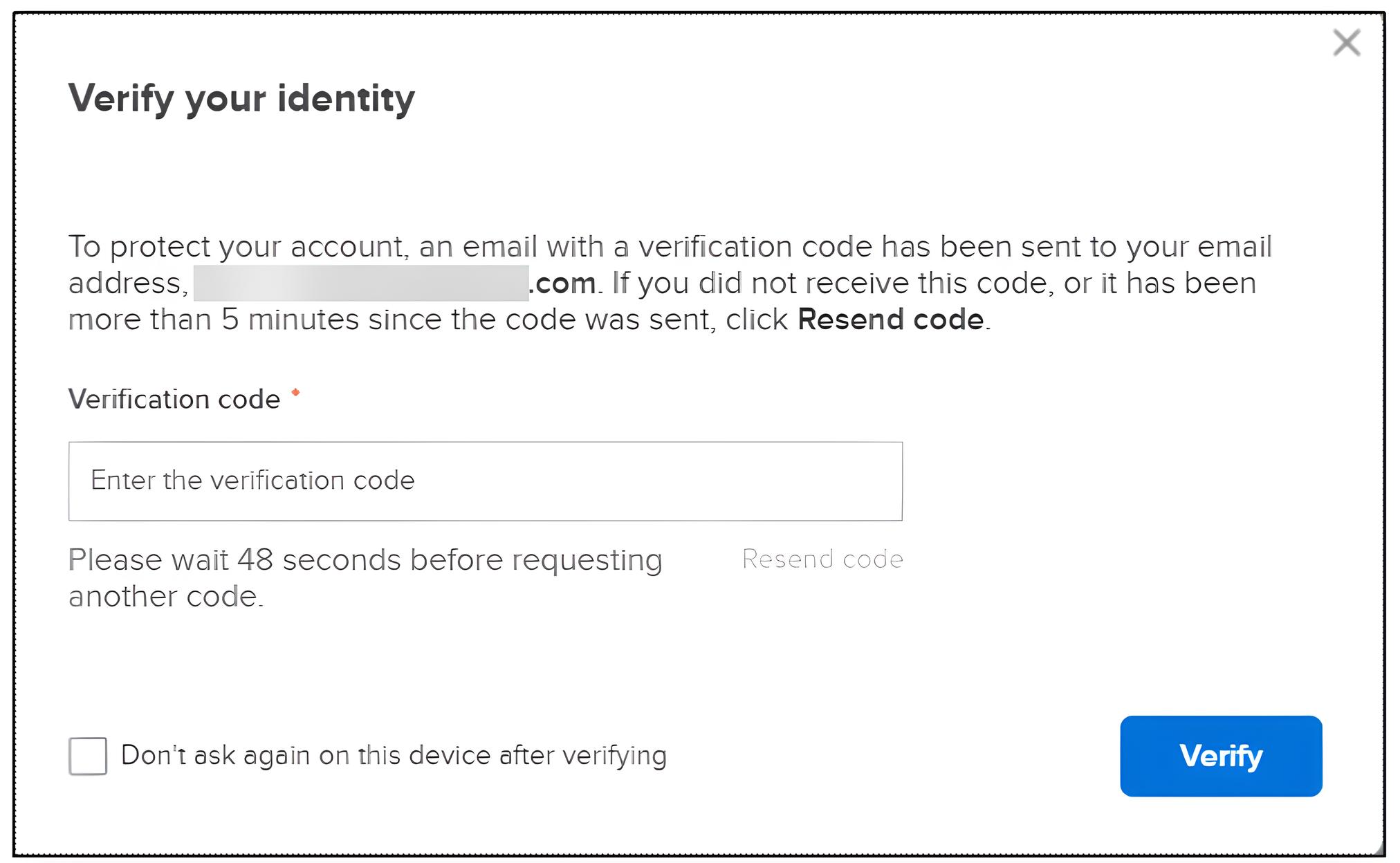
- Retrieve and enter the one-time code from your email into the Verification code field
- (Optional) Check Don't ask again to skip verification on trusted browsers/devices
- Click Verify
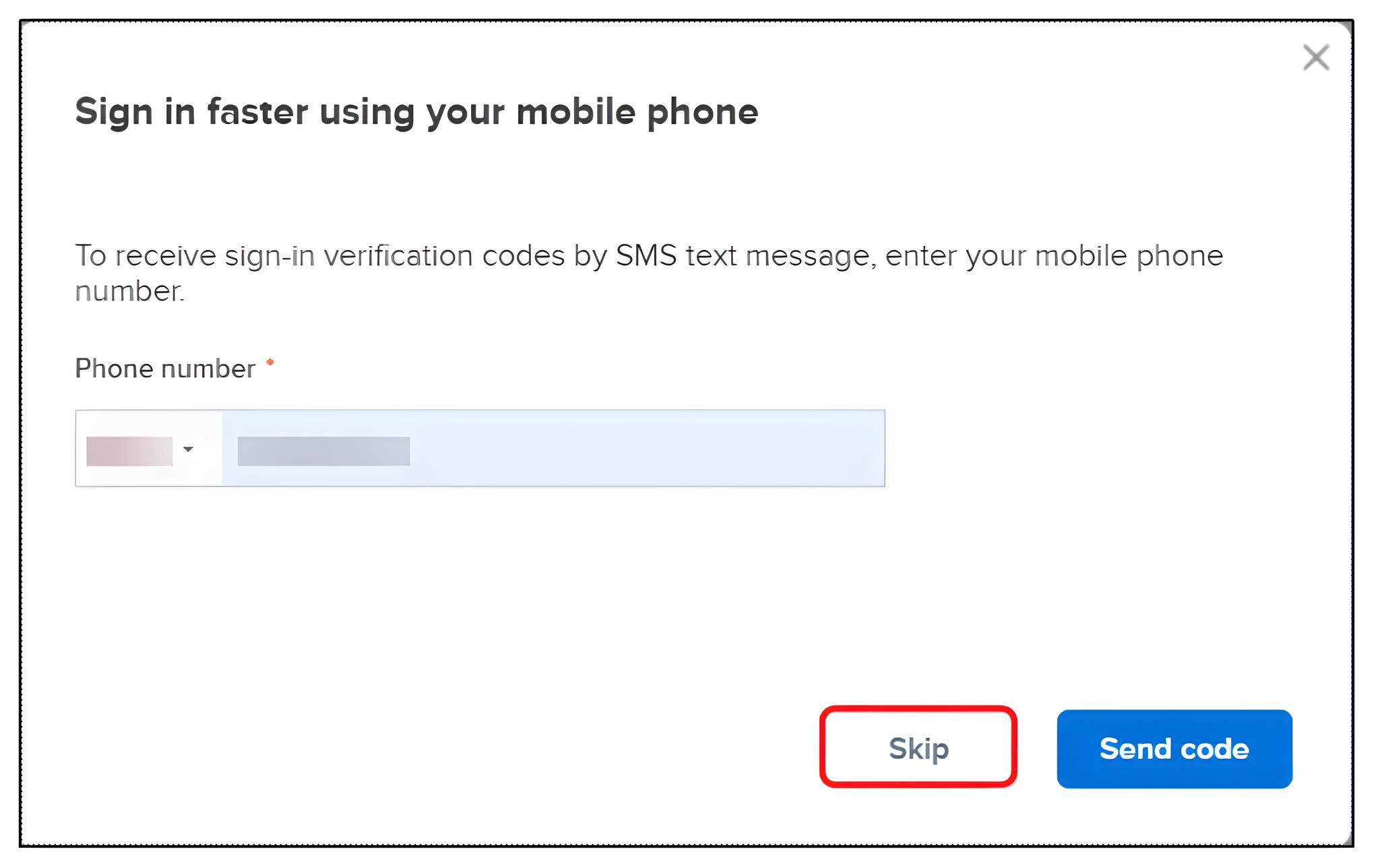
- (Optional) Register your mobile number for future codes, or click Skip
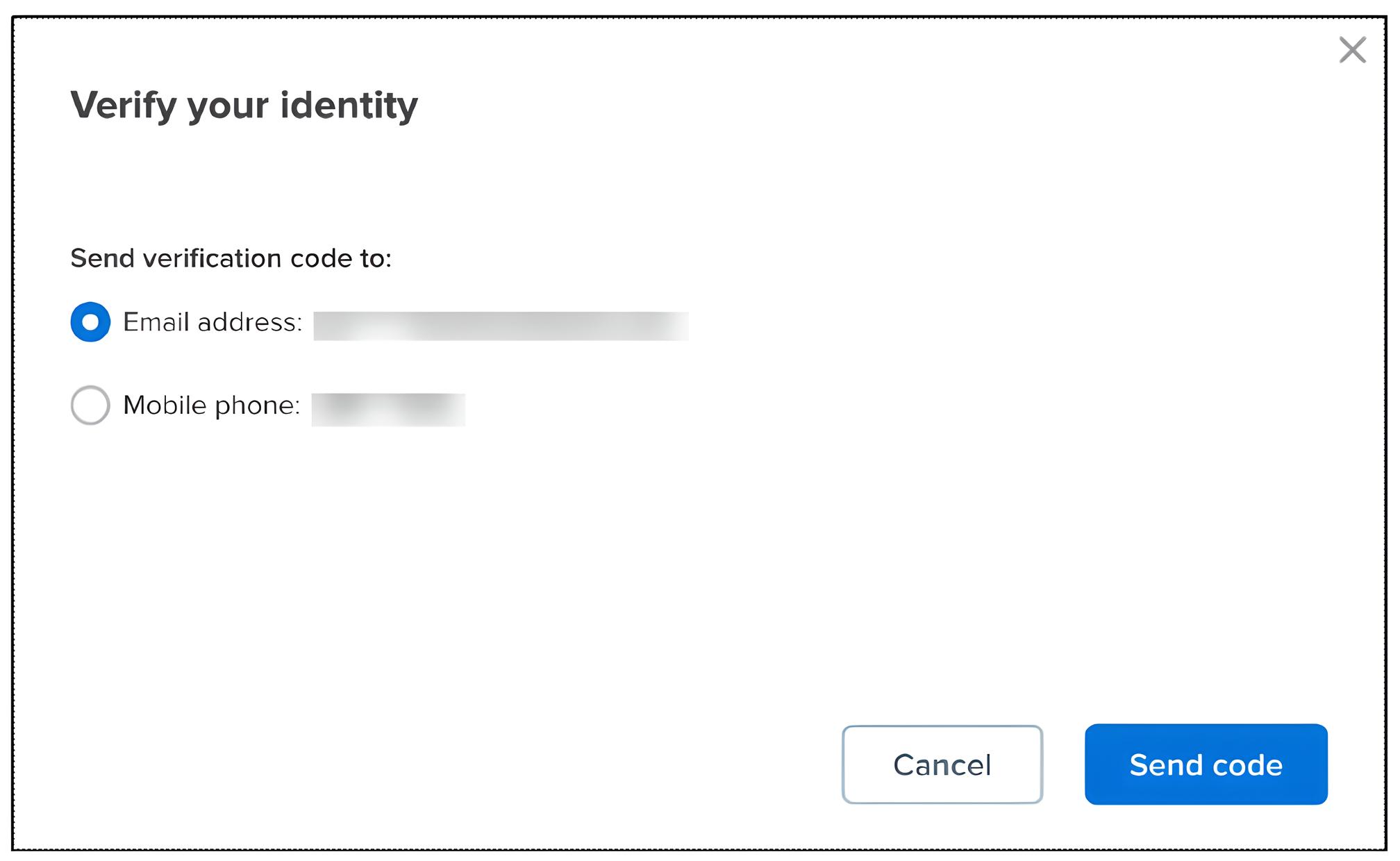
- Note: Future logins allow choosing between Email address or Mobile phone for verification