

This article explains how instructors can email participants registered in the sessions they are assigned to.
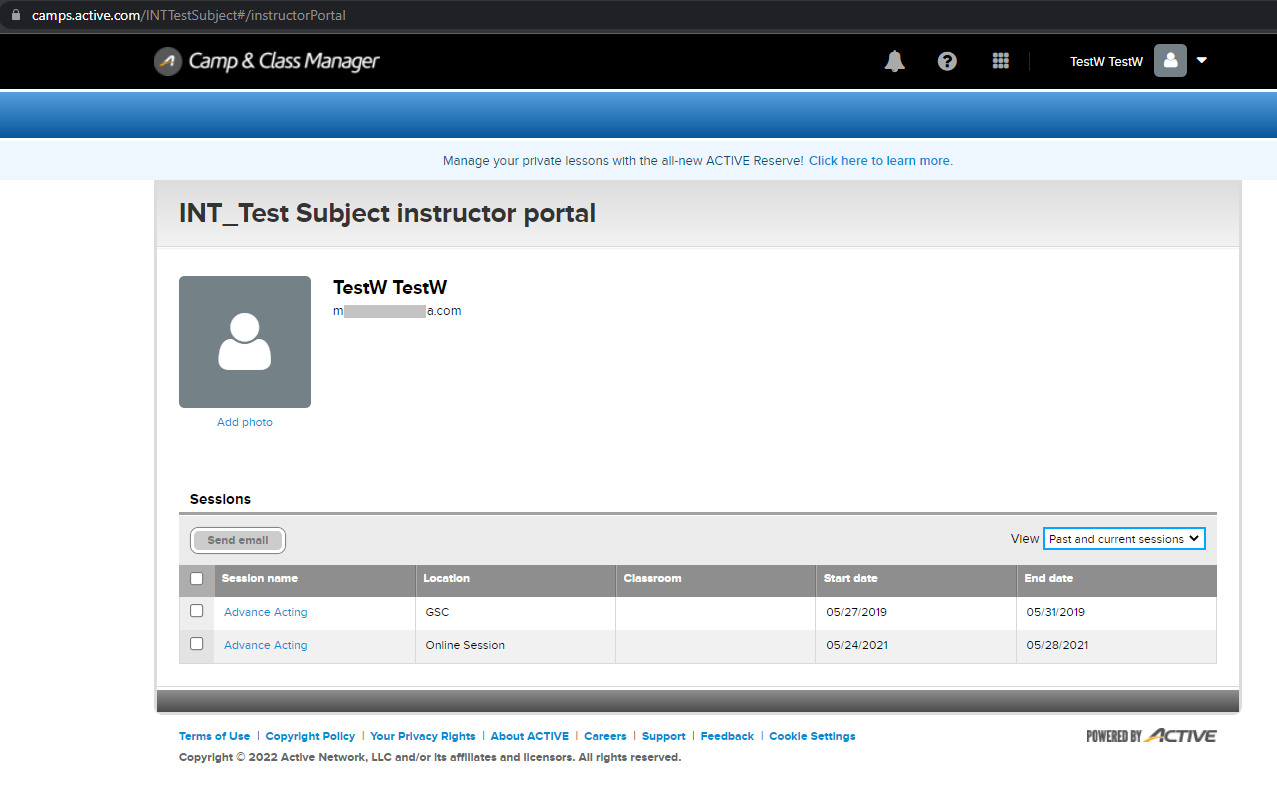
- Log into Instructor Portal: https://camps.active.com/organizationname#/instructorPortal (please replace organizationname with your agency name)
- Click View drop-drop list to select Current seasons or Past and current seasons
- Select Recipients and choose one of the following:
- Select individual sessions to include all participants
- Click the Session name to select individual participants
- Click Send Email
- Enter email Subject
- Note: The From email address cannot be modified. Emails will display as sent from noreply@active.com. Registrants can reply to the email, and their reply will be delivered to the instructor’s email address.
- Enter Message content
- Click Send


