

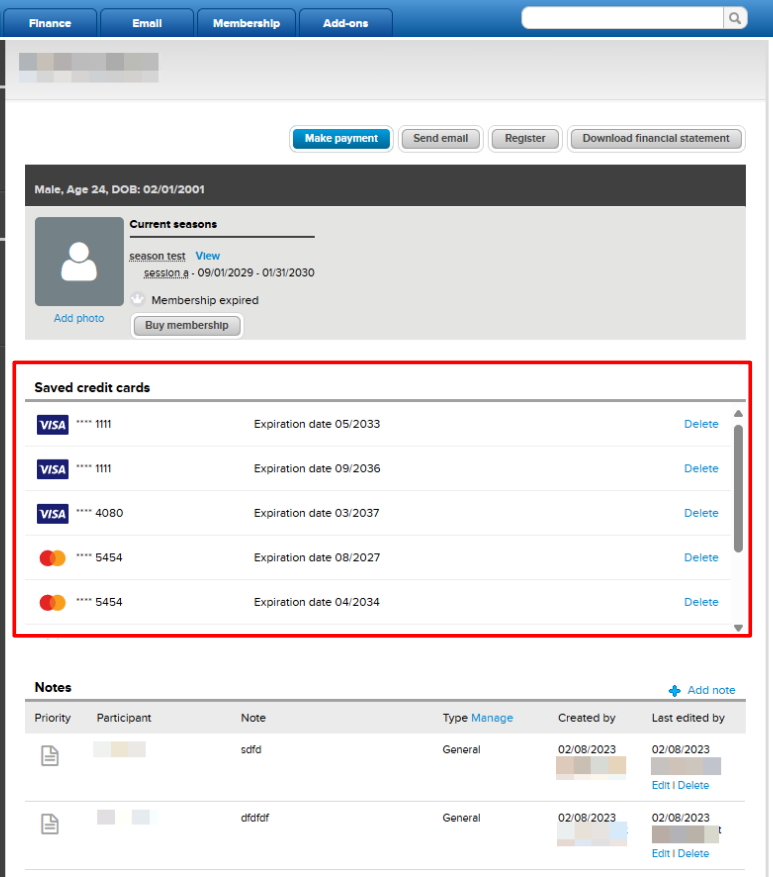
Agency users can view a list of saved credit cards and their expiration dates within a consumer’s person profile. This article explains how to access the list and how to remove a saved card when needed.
Note: Agency users with the User cannot make transactions or modify orders check box enabled can also view this list of saved credit cards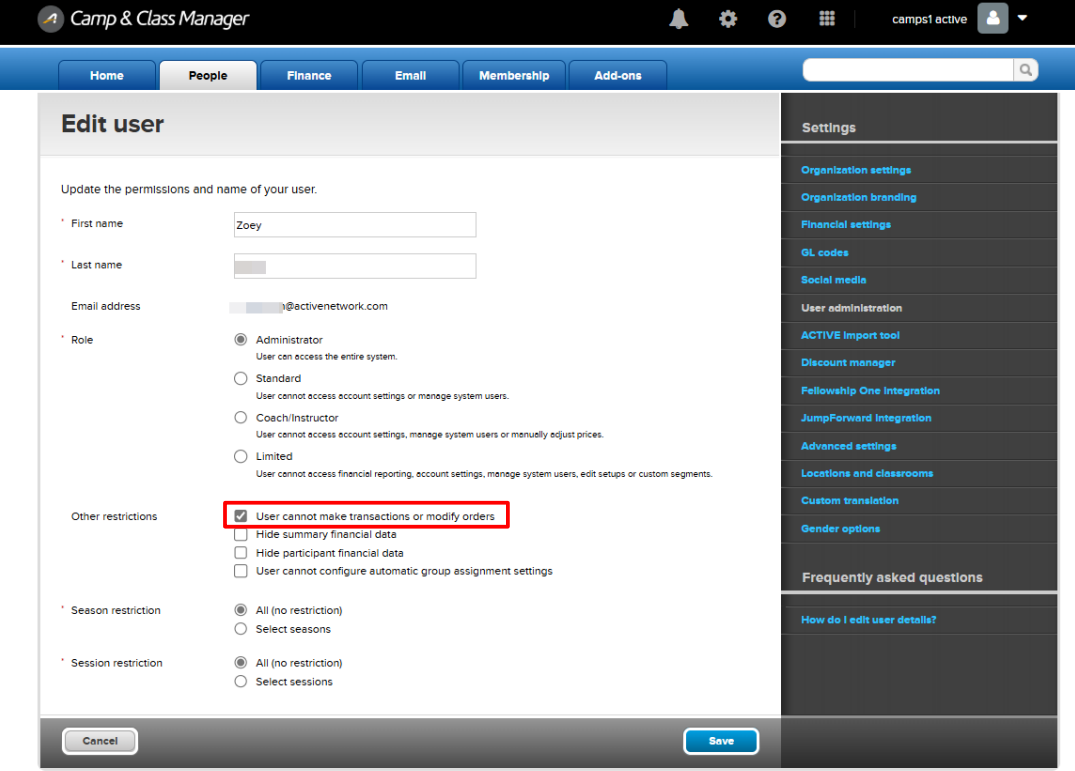
To remove a saved credit card:
- Go to People tab
- Click on a name
- Go to Saved credit cards section
Note: Agency users with the User cannot make transactions or modify orders check box enabled can also view this list of saved credit cards
To remove a saved credit card:
- Go to People tab
- Click on a name
- Go to Saved credit cards section
- Click Delete
- Click Yes
- Note: Cards associated with payment plans can also be removed from the list, but this will not affect automatic installment payments


